
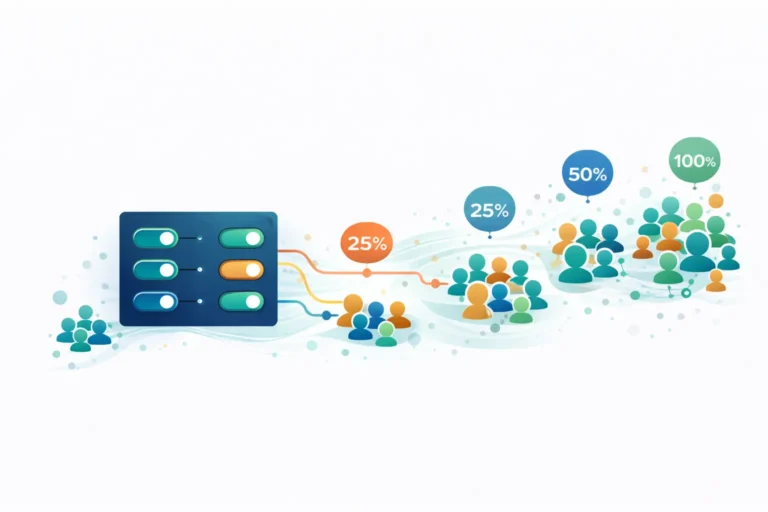
Deploying new features directly to all users simultaneously is risky. A bug affects everyone. Performance issues impact your entire user base. Rolling back requires another full deployment. Using feature flags for gradual rollouts can solve these problems by giving you granular control over who sees what, when.
At Pegotec, we’ve integrated feature flags into our standard development workflow. This article explains our approach and why it matters for reducing deployment risk while accelerating delivery.
What Are Feature Flags?
Feature flags (also called feature toggles) are conditional statements in code that control whether specific functionality is active. Instead of deploying code that immediately affects all users, you deploy code behind a flag that you control separately from the deployment itself.
A simple feature flag might look like this conceptually: “If feature X is enabled for this user, show the new checkout flow. Otherwise, show the existing one.” The flag’s state—enabled or disabled—is controlled through configuration, not code changes.
This separation between deployment and release is powerful. You can deploy code to production without releasing it to users. You can release to specific users without deploying new code. You control timing and audience independently.
Why Gradual Rollouts Matter
Gradual rollouts use feature flags to release features incrementally rather than all at once. A typical progression might be:
- Internal team (1%): Developers and QA testers in the production environment
- Beta users (5%): Engaged users who expect occasional issues
- Early adopters (25%): Broader testing with users willing to provide feedback
- General availability (100%): Full release after validation
At each stage, you monitor metrics, collect feedback, and verify stability before expanding. If problems emerge, you pause or roll back without affecting users who haven’t received the feature yet.
Risk Reduction
A bug affecting 5% of users is manageable. A bug affecting 100% of users is a crisis. Gradual rollouts contain blast radius. When issues occur—and they will—fewer users are impacted, giving you time to respond before the problem scales.
Real-World Validation
Staging environments never perfectly replicate production. Real users generate unexpected data combinations, edge cases, and usage patterns. Gradual rollouts let you validate features against actual production conditions with limited exposure.
Performance Monitoring
New features can impact performance in ways that don’t appear in testing. Database queries that work fine with test data might slow down with production volumes. Gradual rollouts reveal performance issues at a small scale before they affect everyone.
How Pegotec Implements Feature Flags
Our implementation varies based on project requirements, but follows consistent principles.
Flag Management Platforms
For most projects, we use dedicated feature flag platforms rather than building custom solutions. These platforms provide:
- Dashboard control: Non-developers can manage flag states
- Targeting rules: Enable features for specific user segments
- Percentage rollouts: Gradually increase exposure
- Analytics integration: Track feature performance
- Audit logs: Record who changed what and when
Popular options include LaunchDarkly, Flagsmith, Split, and Unleash. For Laravel projects, we often use Flagsmith or implement lightweight custom solutions using Laravel’s configuration and cache systems.
Flag Types We Use
Release flags: Control feature visibility during gradual rollout. These are temporary—removed once the feature reaches 100% and stabilizes.
Experiment flags: Enable A/B testing by showing different variants to different user segments. Used for measuring which approach performs better.
Ops flags: Allow quick response to operational issues. Example: turn off a non-critical feature that’s causing database load without deploying new code.
Permission flags: Control access to features based on user tier, subscription level, or account type. These are often permanent.
Integration with CI/CD
Feature flags integrate with our deployment pipelines. When deploying code with new features:
- Code deploys to production with feature flag defaulting to “off”
- Automated tests verify that the deployment succeeded
- Team enables the flag for internal users first
- After validation, the rollout percentage increases through the dashboard
- Monitoring alerts trigger if metrics deviate from baseline
This workflow means deployments are low-risk. The code is in production, but users don’t see it until we explicitly enable it.
Best Practices We Follow
Keep Flags Short-Lived
Release flags should be temporary. Once a feature reaches 100% rollout and proves stable, remove the flag and its conditional code. Long-lived flags accumulate technical debt and make code more complicated to understand.
We track flag creation dates and set reminders to clean up flags that have been at 100% for more than two weeks.
Name Flags Clearly
Flag names should describe what they control, not how they work. “new-checkout-flow” is better than “checkout-experiment-v2.” Include context that helps someone unfamiliar with the feature understand its purpose.
Default to Off
New flags should default to disabled. This ensures that if flag configuration fails to load, users see the existing behavior rather than an unvalidated new feature.
Monitor Flag-Specific Metrics
Define success metrics for each flagged feature before rollout. During gradual release, compare metrics between users with the flag enabled versus disabled. This validates that the feature performs as expected.
Document Rollout Plans
Before starting a rollout, document the plan: what percentages, what timeline, what metrics to watch, and what thresholds trigger rollback. This prevents ad-hoc decisions during the rollout process.
Common Patterns in Practice
Canary Releases
Release to a small percentage of users (the “canaries”) and monitor closely. If the canaries show no issues, expand. If problems appear, roll back before broader impact.
We typically start canary releases at 1-5% and wait 24-48 hours before expanding, depending on feature complexity and traffic volume.
Ring Deployments
Organize users into rings based on risk tolerance. Internal users in the first ring, beta users in the second, general users in the third. Each ring receives the feature after the previous ring validates it.
Geographic Rollouts
For applications with global users, release to one region first. Time zone differences mean you can monitor a feature during your working hours before it reaches other areas.
User Segment Testing
Release to specific user segments to validate feature behavior. New users might experience a feature differently from long-time users. Premium customers might have different expectations from free-tier users.
When Feature Flags Add Overhead
Feature flags aren’t free. They add code complexity, require management infrastructure, and need cleanup discipline. For simple features with low risk, direct deployment might be more efficient.
We evaluate whether to use feature flags based on:
- Feature complexity: Complex features benefit more from gradual rollout
- User impact: Features affecting core workflows warrant more caution
- Reversibility: Database migrations that can’t easily roll back need careful release
- Monitoring capability: Flags only help if you can detect problems
Small bug fixes and minor UI changes often deploy directly. Major features, payment flow changes, and performance-sensitive code go behind flags.
Real Results from Our Projects
Feature flags have prevented multiple production incidents across our client projects. In one case, a new search algorithm showed degraded performance for users with large data sets—something our test data didn’t reveal. The 10% rollout caught this before it affected the majority of users.
In another project, feature flags enabled rapid experimentation with checkout flow variations. The client tested three different approaches simultaneously, measuring conversion rates for each. The winning variant showed a 15% higher conversion, validated as statistically significant before full rollout.
Getting Started
If you’re not using feature flags, start simple. Pick a low-risk feature for your first flagged release. Use a managed platform rather than building custom infrastructure. Document your process and refine it based on experience.
The initial setup takes a few hours. The ongoing discipline of creating, managing, and cleaning up flags requires commitment. But the reduction in deployment risk and the flexibility to release with confidence make feature flags worth the investment.
Want to implement feature flags in your development workflow? Contact Pegotec to discuss how we can help you release features safely and confidently.
Frequently Asked Questions About Feature Flags
Feature flags control whether users see a feature at all. A/B testing uses feature flags to show different variants to different users and measure which performs better. A/B testing is one use case for feature flags, but flags serve broader purposes, including gradual rollouts and operational controls.
Properly implemented feature flags add minimal overhead—typically a few milliseconds per evaluation. Most flag platforms use local caching and efficient assessment. The performance impact is negligible compared to the database queries or API calls your application already makes.
Release flags should be removed within 2-4 weeks after reaching 100% rollout. Longer-lived flags, such as permission controls or operational toggles, can remain indefinitely but should be documented and reviewed periodically.
No. Feature flags complement testing by adding production validation, but don’t replace unit tests, integration tests, or QA processes. You still need to test features thoroughly before any rollout begins.
Quality flag platforms include fallback behavior—typically serving cached flag values or defaulting to a safe state. Your application should handle flag evaluation failures gracefully, usually by defaulting flags to “off” to show existing behavior.
Let's Talk About Your Project
Enjoyed reading about How We Handle Feature Flags for Gradual Rollouts? Book a free 30-minute call with our consultants to discuss your project. No obligation.