
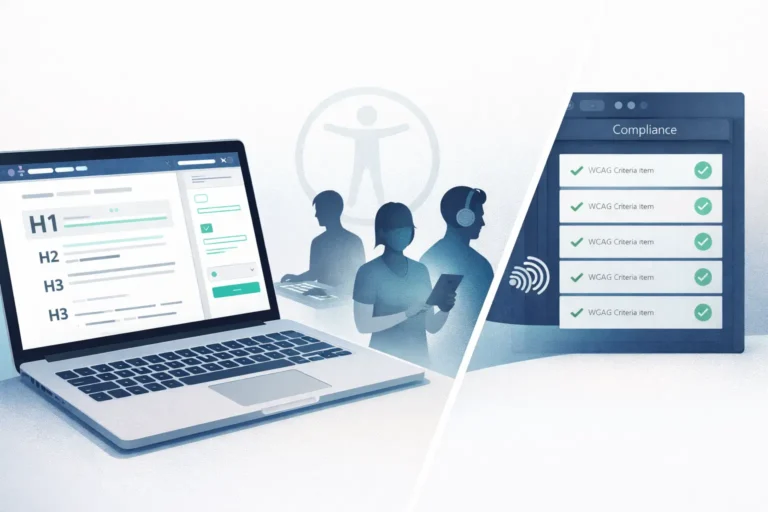
Web accessibility software practices have shifted from a nice-to-have to a legal and business necessity in 2026. For example, the European Accessibility Act now carries fines up to EUR 3 million. Meanwhile, the U.S. Department of Justice set its first-ever WCAG compliance deadline for April 2026. In addition, over 5,100 digital accessibility lawsuits were filed last year alone. Beyond compliance, however, accessible software reaches 1.3 billion people with disabilities worldwide. That market commands $13 trillion in global spending power. As a result, building accessible software is both the right thing to do and a smart business decision.
The Legal Landscape for Web Accessibility Software in 2026
Two major regulations now define the accessibility requirements for digital products. First, the European Accessibility Act (EAA) came into force in June 2025. It applies to e-commerce, banking, e-books, transport ticketing, and all digital services sold across the EU. Companies that fail to comply face several penalties. Specifically, fines of up to EUR 3 million, removal of products from the market, and suspension of business rights. Consequently, any software company serving EU customers must meet these requirements.
In the United States, the Department of Justice published its first federal technical standard for web accessibility under Title II of the ADA. Specifically, public entities with populations of 50,000 or more must meet WCAG 2.1 Level AA by April 24, 2026. Indeed, that deadline has already passed or is imminent by the time you read this. Smaller entities, by contrast, have until April 2027. Moreover, private-sector ADA lawsuits grew 37% year over year, with 69% targeting e-commerce websites. Clearly, these numbers suggest the trend will only accelerate.
One important warning: accessibility overlay tools do not provide legal protection. For instance, the FTC fined overlay provider accessiBe $1 million for false advertising. Furthermore, 25% of all accessibility lawsuits in recent years targeted websites using overlay widgets. In fact, over 600 accessibility professionals have signed a statement declaring overlays insufficient for compliance. Therefore, genuine accessibility requires building it into the software itself.
What WCAG 2.2 Requires
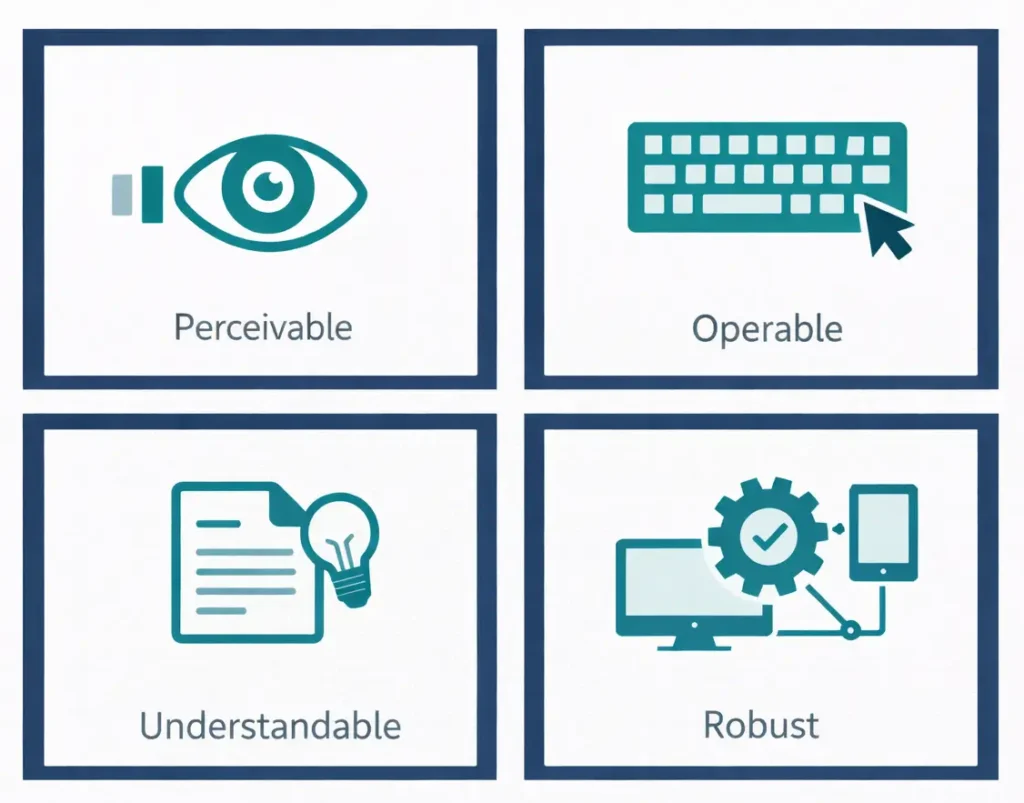
WCAG 2.2 is the current W3C standard and the benchmark for legal compliance worldwide. Specifically, it organizes requirements around four principles — perceivable, operable, understandable, and robust. Each principle spans three conformance levels (A, AA, AAA). Notably, most regulations and lawsuits reference Level AA as the minimum standard. Furthermore, WCAG 2.2 introduced nine new success criteria. For example, focus visibility, minimum target sizes for touch elements, accessible authentication without cognitive function tests, and reduced redundant data entry.
WCAG 3.0 is in development but will not be finalized before 2028. The W3C published a new working draft in September 2025. In addition, the group plans a fairly complete initial draft by early 2026. Importantly, WCAG 2.2 will remain the operative standard for years after WCAG 3.0 ships. Therefore, organizations should focus on WCAG 2.2 AA compliance now and monitor developments in WCAG 3.0 for future planning.
The Business Case Beyond Compliance
Accessibility delivers measurable returns beyond avoiding lawsuits. For example, WebAIM’s 2025 Million report found that 94.8% of the top one million websites still have WCAG failures. On average, those sites carry 51 errors per page. As a result, nearly every competitor in your market has accessibility gaps. Closing them, therefore, creates a genuine competitive advantage.
The numbers support this claim. For instance, businesses with accessible websites have seen online sales increase by up to 30%. By contrast, 71% of customers with disabilities leave inaccessible websites immediately. Furthermore, a study of 10,000 websites found that accessibility improvements led to 23% more organic traffic, 27% more organic keywords, and 19% higher authority scores. In short, accessible sites outperform competitors. Indeed, their semantic HTML, proper heading structure, alt text, and keyboard navigation also align with search engine best practices.
Additionally, accessibility improvements benefit all users, not only those with permanent disabilities. Situational disabilities affect everyone at some point. For example, using a phone in bright sunlight, navigating with one hand while holding a child, or working in a noisy environment. Therefore, designing for accessibility means designing for these everyday scenarios as well.
Practical Web Accessibility in React, Flutter, and Laravel
For React applications, semantic HTML remains the foundation. Specifically, use native <button>, <nav>, <main>, and <form> elements instead of generic <div> wrappers. Notably, React supports all ARIA attributes. Furthermore, Adobe’s React Aria library provides over 50 headless, accessible components. Each one ships with screen reader support, keyboard navigation, and focus management. For testing, jest-axe catches accessibility violations at the unit test level. Meanwhile, Testing Library encourages accessible queries like getByRole and getByLabelText.
Flutter handles accessibility through its Semantics widget. Specifically, the widget maps Flutter elements to screen reader roles on iOS (VoiceOver) and Android (TalkBack). Notably, standard widgets like TabBar, MenuAnchor, and Table automatically include semantic information. Therefore, developers should prefer these over custom implementations. For web targets, Flutter’s semantics translate to ARIA roles in the generated HTML. In addition, key practices include labeling all interactive elements, defining reading order with OrdinalSortKey, and grouping related elements with MergeSemantics.
In Laravel, Blade templates give developers full control over HTML output. As a result, accessibility rests entirely in the developer’s hands. Specifically, use semantic elements (<article>, <section>, <aside>), proper form labels, skip navigation links, and logical heading hierarchies. Furthermore, accessible component libraries reduce the effort required to build accessible interfaces from scratch. For example, Slate UI Kit ships 57 WCAG 2.1 AA-compliant Blade/Tailwind components, and Keys UI offers 50+ components for Laravel 12.
Testing and Tooling for Accessibility
Automated testing catches approximately 35% of accessibility issues. Therefore, it is a necessary starting point but never sufficient on its own. Notably, the most widely used engine is Axe-Core (currently at version 4.10). It powers Google Lighthouse and Chrome DevTools, which include over 70 WCAG rules. In addition, Pa11y provides CLI-based testing that integrates well into CI/CD pipelines. Meanwhile, WAVE offers a visual browser overlay that helps developers see issues in context.
In 2026, AI-powered tools have expanded the testing landscape. For example, Test-Lab.ai combines Axe-Core static analysis with an AI agent that tests keyboard navigation and focus management. Similarly, AccessiMind provides real-time WCAG 2.2 analysis directly in VS Code. Nevertheless, these tools supplement rather than replace manual testing with real assistive technologies. In particular, JAWS (40.5% primary usage), NVDA (37.7%), and VoiceOver (9.7%) remain the screen readers your users rely on.
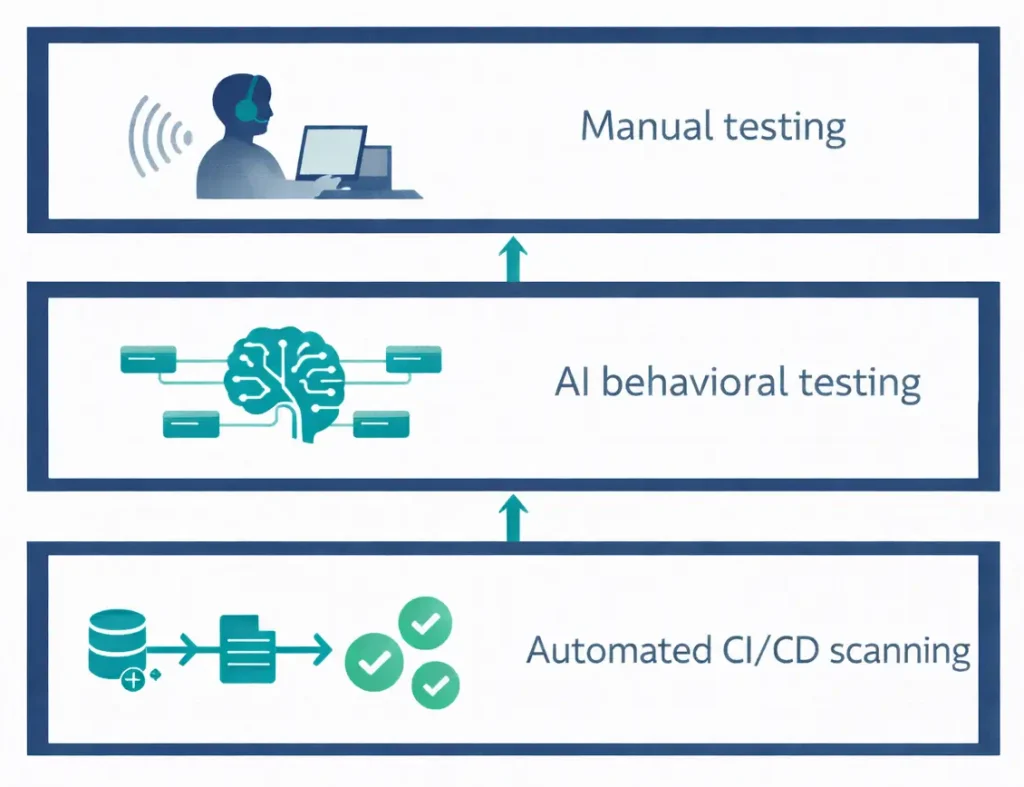
The most effective approach combines three layers. First, automated scanning in CI/CD for regression prevention. Second, AI-assisted behavioral testing for interactive patterns. Finally, periodic manual audits with real screen readers and keyboard-only navigation. As a result, embedding accessibility checks into your pipeline catches issues before they reach production. By contrast, treating accessibility as a post-launch audit costs far more.
How Pegotec Builds Accessible Software
At Pegotec, we integrate accessibility into every stage of our development process. Specifically, we cover the design system creation process, from testing to deployment. In addition, our React, Flutter, and Laravel projects follow WCAG 2.2 AA guidelines. Furthermore, automated accessibility checks in our CI/CD pipelines prevent regressions. Above all, we design with semantic HTML, color contrast, keyboard navigation, and screen reader compatibility as baseline requirements, not afterthoughts.
Our team helps with several scenarios. For example, an accessibility audit of an existing application. Or building a new product with inclusive design from the start. Likewise, we help with meeting EAA or ADA compliance requirements. Above all, our guidance stays practical and grounded in real project experience. So contact Pegotec to discuss how we can help make your software accessible to everyone.
Conclusion
In summary, web accessibility software practices in 2026 represent a convergence of legal obligation, business opportunity, and ethical responsibility. The EAA is now actively enforced across Europe. Meanwhile, ADA compliance deadlines are set, and over 5,000 lawsuits are filed annually. Consequently, the cost of ignoring accessibility far exceeds the cost of implementing it. Most importantly, accessible software reaches more users, performs better in search results, and provides a better experience for everyone — with or without disabilities.
In 2026, web accessibility software compliance means meeting WCAG 2.2 Level AA standards. Specifically, the European Accessibility Act now requires this, with fines up to EUR 3 million. In addition, the U.S. DOJ’s ADA Title II rule sets an April 2026 deadline for large public entities. Furthermore, private-sector lawsuits exceed 5,000 annually.
No. For example, the FTC fined overlay provider accessiBe $1 million for false advertising. Furthermore, 25% of accessibility lawsuits target websites using overlay widgets. In fact, over 600 accessibility professionals have declared overlays insufficient for compliance. Therefore, genuine accessibility requires building it into the software itself.
According to a study of 10,000 sites, accessible websites gain 23% more organic traffic and 27% more organic keywords. Furthermore, businesses with accessible sites see online sales increase by up to 30%. By contrast, 71% of users with disabilities immediately leave inaccessible websites. Notably, that audience represents $13 trillion in global spending power.
First, start with automated tools like axe-core (v4.10, powers Google Lighthouse), Pa11y for CI/CD integration, and WAVE for visual audits. In addition, 2026 AI tools like Test-Lab.ai and AccessiMind extend automated coverage. However, automated tools catch only 35% of issues. Therefore, manual testing with screen readers (JAWS, NVDA, VoiceOver) remains essential.
Not yet. WCAG 3.0 is in development, with a working draft published in September 2025. However, the final standard will not arrive before 2028. Importantly, WCAG 2.2 will remain the operative standard for years after WCAG 3.0 ships. Therefore, organizations should comply with WCAG 2.2 AA now.
Let's Talk About Your Project
Enjoyed reading about Why Accessibility Matters in Modern Software Development? Book a free 30-minute call with our consultants to discuss your project. No obligation.