
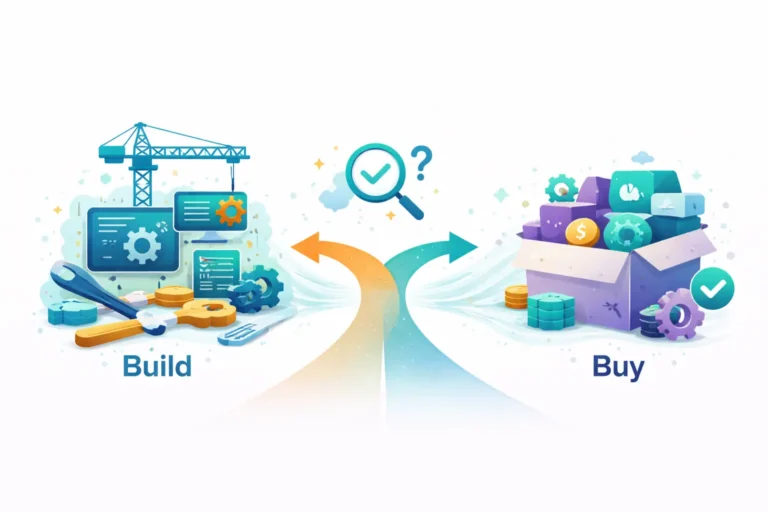
Every organization eventually faces this question: Should we build custom software or buy an existing solution? The build-versus-buy software debate shapes budgets, timelines, competitive positioning, and operational flexibility for years to come. Getting it wrong in either direction carries high costs.
This guide provides a practical framework for evaluating build-versus-buy decisions. We’ll examine the actual costs of each approach, identify scenarios where each makes sense, and highlight the factors that should drive your choice.
The Real Costs of Buying
Off-the-shelf software appears cheaper upfront. License fees are predictable. Implementation timelines seem shorter. But the total cost of ownership often surprises organizations that focus only on initial pricing.
Visible Costs
- License fees: Monthly or annual subscriptions, often per-user pricing that scales with growth
- Implementation: Configuration, data migration, integration with existing systems
- Training: Getting staff proficient with new tools and workflows
- Support tiers: Premium support packages for faster response times
Hidden Costs
- Customization limits: Workarounds for features the product doesn’t support, often requiring additional tools or manual processes
- Integration complexity: Connecting purchased software to your existing systems, especially legacy applications
- Vendor dependency: Price increases at renewal, feature changes you didn’t request, deprecation of capabilities you rely on
- Data portability: Difficulty extracting your data if you later decide to switch
- Process adaptation: Changing your workflows to match the software rather than the software matching your workflows
A SaaS product costing $50,000 annually might actually cost $150,000 or more when you factor in integrations, customizations, training, and workflow changes.
The Real Costs of Building
Custom development requires significant upfront investment. Timelines extend longer than purchasing. But understanding the whole picture reveals when this investment makes strategic sense.
Visible Costs
- Development: Design, engineering, testing, and deployment
- Infrastructure: Hosting, databases, security, monitoring
- Ongoing maintenance: Bug fixes, security updates, performance optimization
- Feature evolution: Continued development as requirements change
Hidden Benefits
- Exact fit: Software designed precisely for your workflows, not generic processes
- Competitive advantage: Unique capabilities that competitors can’t simply purchase
- Complete control: You decide the roadmap, priorities, and timing of changes
- No vendor lock-in: You own the code and can modify or migrate freely
- Predictable scaling: Costs scale with infrastructure, not per-user licensing
A $200,000 custom build might cost less than a $50,000/year SaaS solution over five years—while providing capabilities the SaaS product will never offer.
When to Buy: Clear Indicators
Purchasing off the shelf makes sense in specific circumstances. Recognize these patterns to avoid unnecessary custom development.
Commodity Functions
Standard business functions that don’t differentiate your organization rarely justify custom development. Accounting, email, basic HR management, and standard project tracking fall into this category. These domains are well-served by mature products that have been refined over the years.
Speed Priority
When you need a solution operational in weeks rather than months, purchasing accelerates deployment. The tradeoff is accepting the product’s limitations rather than waiting for custom development.
Limited Budget
If capital constraints prevent adequate investment in custom development, a purchased solution may be the practical choice—even with its limitations. Underfunded custom projects often deliver worse outcomes than well-implemented purchased solutions.
Regulatory Compliance
For heavily regulated functions, established vendors may offer compliance certifications that would require significant investment to achieve independently. Financial services, healthcare, and government contexts often favor certified commercial products.
When to Build: Strategic Drivers
Custom development makes sense when software directly impacts competitive positioning or when existing products fundamentally misalign with your needs.
Core Business Differentiation
If software capabilities directly affect your competitive advantage, building creates assets your competitors can’t simply purchase. A logistics company’s route optimization, a retailer’s recommendation engine, or a service firm’s client portal—these deserve custom investment when they differentiate your offering.
Unique Process Requirements
When your business processes genuinely differ from industry norms—not preferences, but actual operational requirements—off-the-shelf products force painful compromises. If you find yourself planning extensive workarounds before even implementing a purchased solution, custom development may prove more economical.
Integration Complexity
Environments with numerous existing systems requiring deep integration often struggle with purchased products. Custom development can create solutions tailored to your specific integration landscape, rather than having to work around API limitations and data format mismatches.
Scale Economics
Per-user SaaS pricing punishes growth. Organizations with thousands of users often find that the fixed infrastructure costs of custom development are dramatically lower than the accumulated license fees. The break-even analysis favors building at a sufficient scale.
Long-Term Vision
If you envision continuous evolution of capabilities over many years, custom development provides unlimited extensibility. Purchased products constrain you to the vendor’s roadmap and priorities.
The Decision Framework
Work through these questions to clarify your build-versus-buy decision.
Strategic Questions
- Does this capability differentiate us competitively?
- Would competitors gain an advantage by purchasing the same solution?
- How central is this function to our core business model?
- What’s our five-year vision for this capability?
Practical Questions
- Do existing products actually solve our specific problem?
- How much customization would a purchased product require?
- What’s the total cost over five years, not just year one?
- How does per-user pricing affect costs as we scale?
- What integration requirements exist with current systems?
Risk Questions
- What happens if the vendor raises prices significantly?
- What if the vendor discontinues the product?
- How portable is our data if we need to switch?
- Do we have access to development expertise for custom work?
- Can we maintain custom software long-term?
The Hybrid Approach
Many organizations benefit from combining approaches: purchasing commodity functions while building differentiating capabilities.
Use purchased solutions for accounting, email, basic analytics, and standard HR. Build custom solutions for customer-facing applications, core operational systems, and capabilities that define your competitive position.
This approach concentrates development investment where it creates the most value while avoiding the reinvention of solved problems.
Common Mistakes
Avoid these patterns that lead to poor build-versus-buy decisions.
Comparing only initial costs: Year-one pricing ignores the compound effect of license fees and the long-term value of owned assets. Always model the five-year total cost of ownership.
Underestimating customization needs: “We’ll just configure it” can turn into months of workarounds, integrations, and process changes. If a product requires extensive customization, question whether it’s the right fit.
Building commodity functions: Custom accounting systems, email platforms, or basic project management rarely justify the investment. Focus custom development on differentiation.
Ignoring maintenance requirements: Custom software requires ongoing investment. Budget for continued development, not just initial build.
Following trends: Neither “everything custom” nor “always buy SaaS” is correct. Evaluate each decision independently based on strategic fit.
How Pegotec Helps
We help organizations evaluate build-versus-buy decisions objectively. Our assessment process examines your specific requirements, integration landscape, and strategic goals to recommend the approach that serves your interests—whether that means building with us, implementing a purchased solution, or combining approaches.
When custom development makes sense, we bring the expertise to execute efficiently. We’ve built systems ranging from customer portals to operational platforms, always focusing on long-term maintainability and your team’s ability to evolve the solution independently.
Contact Pegotec for an honest assessment of your build-versus-buy decision. We’ll help you understand the actual costs and strategic implications of each approach.
Conclusion
The build-versus-buy decision shapes your organization’s capabilities, costs, and flexibility for years. Neither approach is universally correct. The right choice depends on strategic importance, actual total costs, integration requirements, and long-term vision.
Buy when you need commodity functions, speed matters more than fit, or regulatory compliance favors certified products. Build when software differentiates your business, unique requirements resist standard products, or scale economics favor owned assets.
Most organizations benefit from thoughtfully combining both approaches—purchasing where it makes sense, building where it creates strategic value.
Frequently Asked Questions
Timeline depends on complexity. Simple applications might take 2-3 months. Complex systems with integrations typically require 6-12 months. The key is to start with a clear scope and iterate on an MVP. Unlike purchased software that’s immediately available, custom development requires patience—but delivers exact-fit solutions.
The break-even point varies significantly. For per-user SaaS products, organizations with 100+ users often find custom development more economical over 3-5 years. Calculate the total cost of ownership, including licenses, integrations, customizations, and training for purchased solutions versus development plus maintenance for custom builds.
Yes, if built correctly. Quality custom software uses standard technologies, follows documented patterns, and includes comprehensive documentation. We build with maintainability as a core requirement, ensuring your team or future developers can understand and evolve the codebase independently.
This is real vendor risk. Mitigate it by ensuring data export capabilities, avoiding deep platform-specific customizations, and maintaining documentation of your workflows. For critical systems, this risk often justifies custom development where you control the asset entirely.
Sometimes this makes sense for validation—proving the concept before investing in custom development. However, be cautious of data migration costs and workflow disruption when transitioning. If you’re confident in long-term requirements and custom development is the eventual goal, building from the start may be more efficient.
Let's Talk About Your Project
Enjoyed reading about Build vs Buy: When Custom Software Makes Sense? Book a free 30-minute call with our consultants to discuss your project. No obligation.