
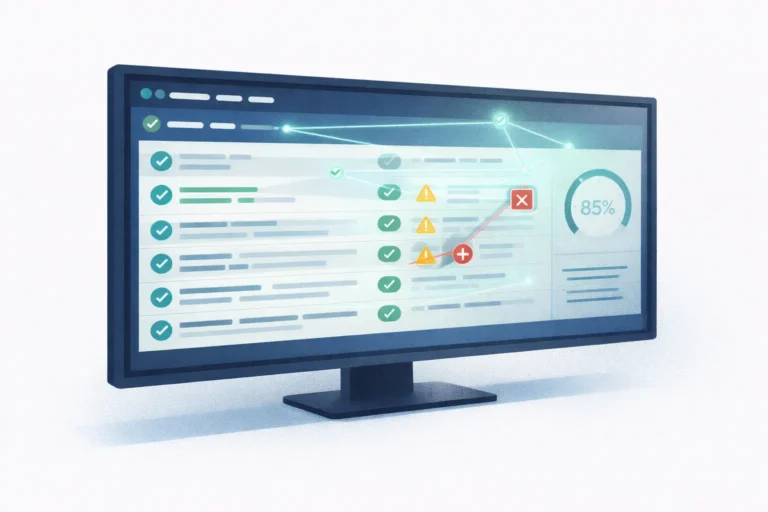
Historically, testing was the part of software development that nobody wanted to fund, and everybody wanted to have. Writing tests was tedious, maintaining them was tedious, and debugging flakes was tedious. Moreover, the business case was “fewer production bugs” — a benefit that only becomes visible when it is absent. However, AI has quietly changed this calculus. In 2026, AI in software testing is not a promise of the future. In fact, it is already redefining what a healthy QA practice looks like.
This is the third article in our five-part series on AI across the software development lifecycle. Having looked at planning and development, we now turn to testing. Naturally, the same honest frame applies. So, where does AI genuinely help QA teams in 2026? And conversely, where does it just add noise to an already noisy process?
Why Testing Is Where AI Compounds
Notably, testing is uniquely well-suited to AI assistance for a reason that is easy to miss: the output is verifiable. In contrast to planning, where AI suggestions require human judgment for evaluation, a generated test yields a binary result. It either runs or it does not. Similarly, the test either passes when it should or it fails. Either it catches a known bug, or it misses it. As a result, the feedback loop between AI and humans is fast and cheap. Indeed, that is exactly the condition under which AI tools deliver the most value.
Furthermore, testing has historically been the area where teams have taken the most shortcuts. For example, unit test coverage below thirty percent is common. Teams often skip end-to-end tests entirely because of maintenance costs. Likewise, teams handle visual regression manually or skip it entirely. Because the baseline is low, the absolute gain from AI-assisted testing is larger here. Consequently, it outpaces almost every other phase of the lifecycle.
Test Generation: The Biggest Gain
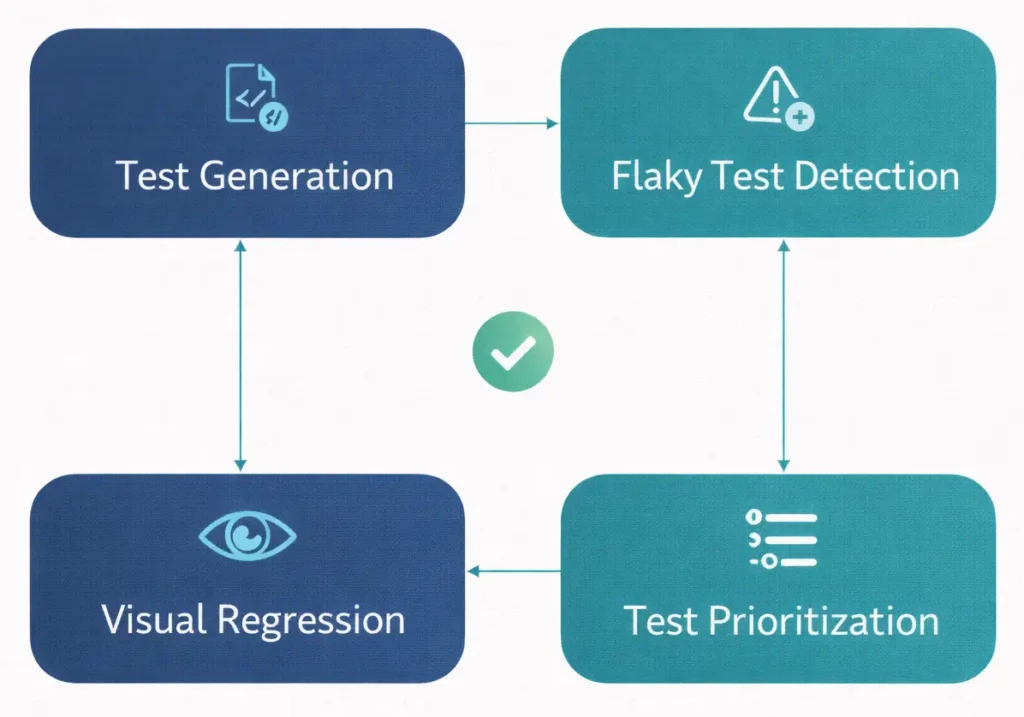
Clearly, the single largest AI productivity gain in testing is also the simplest: generating tests for existing code. For instance, point a modern AI assistant at a function, and it will produce a meaningful test suite in minutes. Specifically, the output covers the obvious paths, the edge cases, and the error conditions. Moreover, it often catches the subtle boundary cases that a tired developer would miss.
However, quality varies by language and framework. For example, tests for strongly-typed languages with mature testing ecosystems (TypeScript, Java, Kotlin, Go) are generally excellent. By contrast, tests for dynamically-typed code with heavy use of runtime patterns (some Python, some older PHP codebases) require more human editing. Across the board, though, the failure mode is consistent. The AI produces a test that looks correct. But it silently mocks away the thing that would actually have caught the bug. Therefore, every generated test needs a human pass to confirm it is actually testing what it appears to test.
In fact, coverage numbers across teams adopting this workflow have climbed meaningfully in 2026. For instance, codebases that lived for years with 30% unit coverage now reach 70% or 80%. Subsequently, that shift takes a single quarter of consistent AI-assisted test writing. Still, the ongoing maintenance cost remains roughly the same as before. AI has not changed the cost of keeping tests up to date with code changes. It has, however, reduced the initial cost of writing them.
Flaky Test Detection: Finally Manageable
Indeed, flaky tests are the silent killer of CI/CD pipelines. Specifically, they sometimes pass and sometimes fail, for reasons unrelated to the code under test. Teams learn to ignore them, which erodes trust in the whole test suite. Subsequently, the team ignores real regressions too, because “that one flakes sometimes.”
In 2026, AI-assisted flaky test detection analyzes patterns across thousands of test runs. Furthermore, it identifies tests that fail non-deterministically and classifies the likely root cause: timing, ordering, shared state, or network. Then it proposes fixes. Importantly, the gain is not just faster detection — it is the restored trust in a green build. When the build is green, it actually means something. Conversely, when it is red, the team takes it seriously. Overall, this cultural shift outweighs the raw hours teams save.
Visual Regression: The Newly-Affordable Category
Visual regression testing confirms that a UI still looks right after a change. Historically, it was expensive enough that most teams skipped it. For example, you screenshot every page on every build and compare pixel-by-pixel — high maintenance, with anti-aliasing false positives. Conversely, you test visually by hand: slow, error-prone, and impossible to scale.
By contrast, AI-assisted visual regression in 2026 uses vision models to compare before-and-after screenshots at a semantic level. For instance, differences in anti-aliasing, font rendering variations, and benign reflows no longer trigger false positives. However, genuine layout breaks, color regressions, and missing elements do. As a result, teams now run visual regression as part of their standard CI pipeline. Notably, this was not affordable three years ago.
Test Prioritization: Running the Right Tests First
As test suites grow, running them all on every commit becomes slow. Consequently, teams respond by running everything in parallel (expensive) or running a subset per commit (risky). In contrast, AI-assisted test prioritization looks at the code that changed in a commit. Then it runs the tests most likely to fail for that change first. As a result, the developer gets a failure in one minute instead of fifteen. Meanwhile, if those tests pass, the remaining tests run in the background without impacting the developer workflow.
Notably, this is one of the least glamorous AI applications in testing, and one of the highest-leverage. Indeed, faster feedback loops directly reduce defect rates. As a result, developers catch problems while the context is still fresh in their heads.
What AI Still Cannot Do in Testing
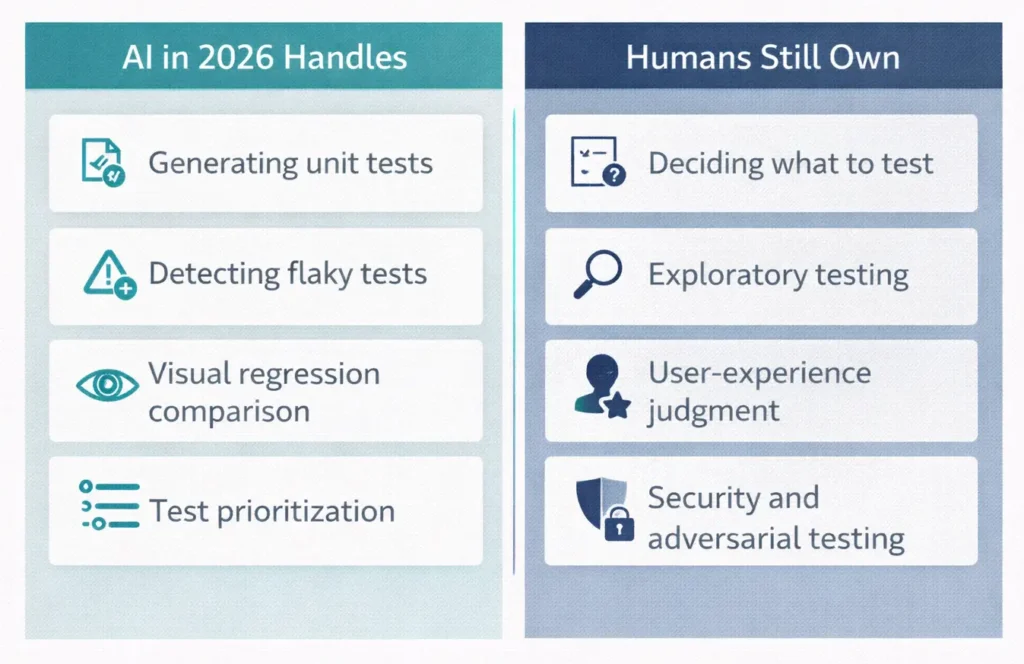
Importantly, the failure modes are as important as the wins. However, AI is not good at deciding what to test in the first place. Naturally, that still requires a human with a deep understanding of what matters to the business. Likewise, exploratory testing, where a skilled tester probes for weaknesses, remains firmly human. Similarly, user experience testing is not a machine task either. For example, a human notices when a form is confusing even though it technically works. Furthermore, adversarial security testing, in which the tester actively tries to break the system, still requires human creativity.
In short, the honest frame is this. AI in testing in 2026 is excellent at executing test strategy, but still poor at defining it. Therefore, teams getting the most value start with a clear test strategy. Then they use AI to execute on it at a scale that would have been impossible before.
Integrating AI Testing Into CI/CD
The practical question most teams face is how to integrate AI-assisted testing into an existing CI/CD pipeline. Naturally, the working pattern in 2026 is simple. First, keep humans in the driver’s seat for strategy, and let AI handle the heavy lifting. Specifically, test generation runs during development, on each developer’s machine or in a pre-commit hook. Meanwhile, flaky test detection runs as a continuous background job against the CI history. Next, visual regression runs on every pull request. Finally, test prioritization runs on every commit to choose which tests go first.
In comparison, failing tests in CI now almost always indicate real problems. Indeed, the signal-to-noise ratio has shifted dramatically. Moreover, our upcoming article on how we set up CI/CD pipelines covers the broader picture. Specifically, it walks through the full pipeline architecture we use at Pegotec. Within that architecture, AI-assisted testing is now a default rather than an optional layer.
How Pegotec Approaches AI in Testing
At Pegotec, we build AI-assisted testing into every new project from day one. First, our developers generate unit tests during development. Next, the pipeline wires visual regression into the pull request workflow. In addition, the team reviews flaky test detection as part of the standing report in weekly engineering syncs. Finally, test prioritization runs as a silent background optimization that shortens the developer feedback loop.
Overall, the results of our client projects have been clear. For example, production defect rates dropped, and developer feedback cycles got faster. Moreover, test coverage numbers reached levels that seemed unrealistic three years ago. Importantly, our QA leads still drive the test strategy. Indeed, AI makes that strategy achievable at a scale that once required very large QA teams.
This article is the third in our five-part series on AI across the software development lifecycle. Next, we look at AI in deployment and DevOps. Specifically, predictive monitoring, anomaly detection, and AI-assisted incident response are changing what it feels like to operate production systems. Finally, if you would like help integrating AI-assisted testing into your own process, contact Pegotec for a no-obligation consultation.
Conclusion
In conclusion, AI in software testing is one of the clearest wins in the 2026 AI landscape. Specifically, test generation, flaky test detection, visual regression, and test prioritization are all genuinely transformative. However, they do not replace the human judgment that drives good QA. On the contrary, they execute that judgment at a scale and speed that was previously impossible.
Above all, the highest-value teams set a clear test strategy first, then use AI to achieve it. However, skipping the strategy step leaves you with test suites that exercise a lot of code. Yet they do not actually protect against the things the business cares about. Clearly, AI has not changed the fact that someone needs to decide what matters. In short, it has just removed most of the excuses for not testing it.
Frequently Asked Questions
No. Specifically, AI in 2026 is excellent at executing QA at scale: generating tests, detecting flakiness, comparing screenshots, and prioritizing test runs. However, it is poor at deciding what to test in the first place and at exploratory testing. As a result, QA engineers are shifting toward strategy, exploratory work, and user-experience judgment. In short, the role is changing, not disappearing.
For strongly-typed languages with mature testing ecosystems, AI-generated unit tests are usable as-is or with minor edits. Specifically, that happens about 70 to 80 percent of the time. By contrast, for dynamically typed code and older codebases, the ratio is lower, and human editing is more critical. Notably, the consistent failure mode is tests that appear to verify behavior. However, they silently mock away the thing that would actually catch the bug. Therefore, always read generated tests with a critical eye before merging.
In 2026, yes, for almost any customer-facing application. Specifically, the false positive rate has dropped enough to run visual regression on every pull request. As a result, teams no longer drown in noise. Moreover, the cost per run is low — a few cents to a few dollars depending on page count. Furthermore, the catch rate for genuine UI regressions is high. Three years ago, this was not a cost-effective option for most teams. However, today it is a default for teams that care about UI quality.
First, start with AI-generated unit tests on a single service or module. Specifically, this delivers rapid productivity gains and teaches the team to spot failure modes in generated tests. Next, once that is working, add flaky test detection since it is a background job with a high signal-to-noise ratio. Then, visual regression and test prioritization follow once those foundations are in place. However, attempting all four at once tends to overwhelm the team’s review capacity.
Indeed, coverage percentage matters less than the strategic value of what teams cover. However, teams adopting AI-assisted test generation typically reach 70 to 85 percent unit coverage within a quarter. By contrast, the starting point without AI assistance is usually 30-50%. Beyond 85 percent, the marginal return drops sharply, and the tests protect against things nobody cares about. Therefore, focus on critical business paths first, not the headline coverage number.
Let's Talk About Your Project
Enjoyed reading about AI in Software Testing: Smarter QA Without the Bloat? Book a free 30-minute call with our consultants to discuss your project. No obligation.